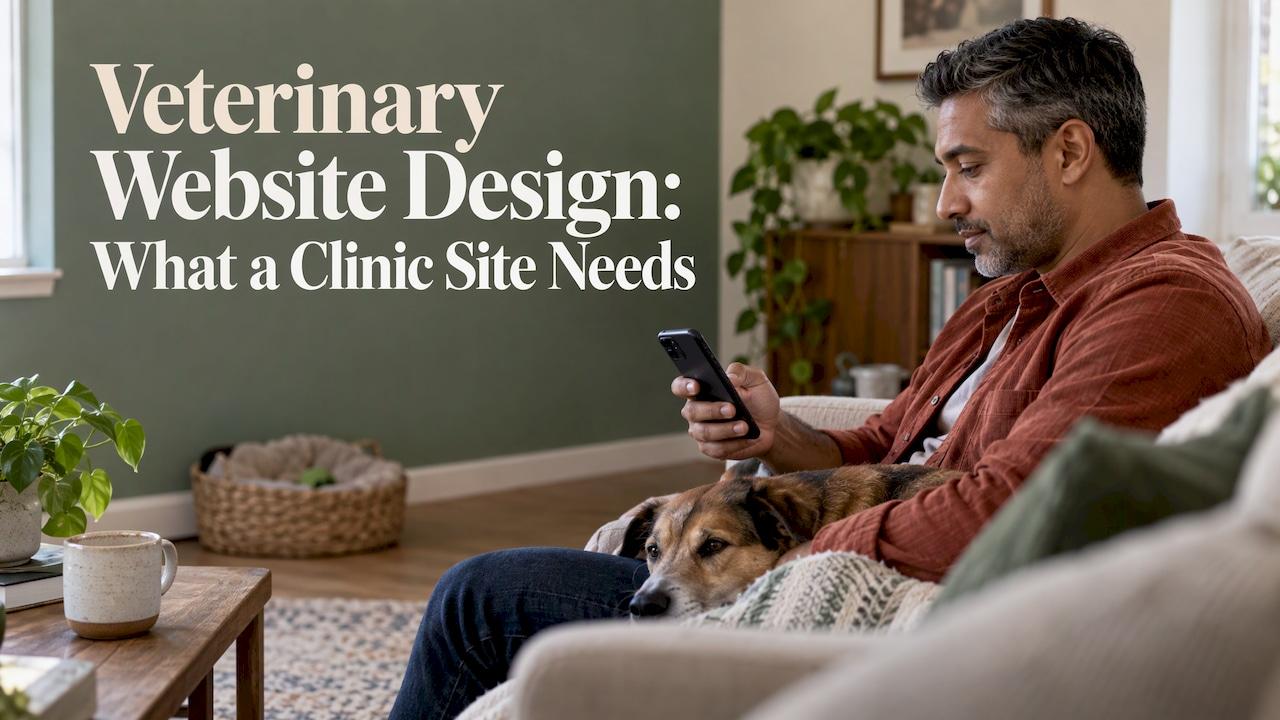
A good veterinary website does one job well: it lets a worried or busy pet owner find your clinic, confirm you are the right fit, and call or book in a few taps on a phone. Everything else, from photo galleries to blog posts, supports that. If you run a small practice in Vancouver, WA, Portland, OR or the surrounding towns, you do not need a sprawling site. You need a fast, clear one that is built around the phone in the owner's hand. This guide covers what to include, how to build it in the right order, and where clinic sites usually go wrong. Our studio builds mobile-first websites for small local businesses, and the same principles apply to a vet clinic.
TL;DR
- Design for the phone first: a tappable phone number, a booking button in the header, hours and directions visible without scrolling.
- Give each service its own page, plus a plain new-client page that explains what to bring and what a first visit involves.
- State your emergency and after-hours policy clearly, including who to call when you are closed.
- Build to accessibility guidelines (WCAG) and keep the site fast, secure and easy to edit.
- Own your domain, hosting and logins, so you can change providers without losing the site.
Table of Contents
- What pet owners expect from a clinic website
- Design for the phone first
- The pages a small clinic actually needs
- Booking: make it a real slot, not a form someone retypes
- Be found locally
- Accessibility is part of the build
- Trust: show the people, not stock photos
- How to plan the build, step by step
- Our perspective
- Want a site built around calls and bookings?
- FAQ
- Sources
What pet owners expect from a clinic website
Pet owners judge a clinic by its website before they ever meet the team. A 2026 survey of 2,000 pet owners in the UK and Australia found that 81% consider website quality important when choosing a vet, and 29% had decided against a clinic because of its site. That is not a US sample, but the pattern fits what local owners tell small businesses everywhere: if the site is hard to use, they move on to the next result.
The US numbers point the same way. A 2025 survey of 1,000 North American pet parents found that 57% had difficulty booking an appointment at their vet, and 78% said being able to book at any time on any device is important. Younger owners are the most likely to switch clinics over it.
So the site has four practical jobs:
- Show up when a nearby owner searches for a vet or a specific service.
- Explain what you treat and what a first visit looks like.
- Let owners call or book without friction.
- Give existing clients a quick route to refills, records and the client portal.
If a page does not serve one of those jobs, it is a candidate to shorten or remove.
Design for the phone first
Most owners reach a vet site from a phone, often while standing in the kitchen with a pet that is limping or has eaten something odd. Hibu's 2023 guide cites figures that roughly 97% of Americans own smartphones and that almost all smartphone users have searched for local businesses on their phones. Mobile is the main version of your site, not a smaller copy of the desktop one.
In practice, mobile-first means:
- A tap-to-call phone number at the top of every page, not an image of a number or plain text that has to be copied.
- A booking or appointment-request button in the header that follows the visitor down the page.
- Hours, address and a directions link on the home page, with holiday hours kept current.
- Short forms that a thumb can finish: name, pet, reason for visit, preferred time. Ask for full registration details after the slot is chosen.
- Large tap targets and readable text without pinching or zooming.
- Compressed photos. Oversized team and clinic photos are the most common reason a clinic site loads slowly.
DVM360's guide on building a smart veterinary website lists the same traits for sites that perform: fast, mobile-responsive, secure with HTTPS, clearly structured with headers, and easy to navigate. It also recommends appointment buttons at or near the top and a prominent emergency contact number.
The pages a small clinic actually needs
You do not need 40 pages. For a one- or two-doctor practice, this set covers nearly everything an owner looks for:
| Page | What it does | What to put on it |
|---|---|---|
| Home | Confirms you are local and open | Hours, phone, booking button, services summary, a few reviews |
| Services | Explains what you treat | One page per major service (wellness exams, vaccines, dental care, surgery), in plain language |
| New clients | Removes first-visit anxiety | Whether you are accepting patients, species you see, what to bring, intake form |
| Team | Builds trust | Real photos, names, short bios |
| Emergency and after-hours | Prevents a bad moment | Whether you see urgent cases, when to call, which emergency facility to use when closed |
| Contact | Gets the visit started | Phone, address, map link, parking or arrival notes |
Two of these deserve extra care.
The new-client page
A prospective client wants to know, without calling, whether you take new patients, which animals you see, and what happens at the first visit. Answering that on the page saves your front desk repeat calls and keeps the owner from bouncing to a competitor with clearer information. Name appointment types in words owners use: wellness exam, sick visit, vaccines, dental consult, surgery consult.
The emergency page
Say plainly whether you provide emergency or urgent care, what owners should do outside office hours, and which emergency hospital to call when you are closed. Put a tap-to-call button on that page. Keep the general contact form away from this page so it never looks like an emergency channel: a form can sit unread for hours, and a pet in distress cannot wait.
Booking: make it a real slot, not a form someone retypes
The best booking setup lets an owner pick a real time from your actual schedule. A request form that your staff retypes into the practice system works, but it adds steps for everyone and delays the confirmation.
The demand is there. A 2025 survey of 3,000+ US pet owners reported that 68% would choose a practice offering online booking over phone-only scheduling. Be realistic about what it does, though: it is not only a way to win new clients. It keeps existing ones from drifting away, and it catches people after hours. Vetstoria platform data showed 40.7% of online bookings were made outside clinic hours, when your phones are off.
A few rules keep booking safe and useful:
- Let routine visits (wellness exams, vaccines) be booked online without a phone call.
- Send urgent or clinically unclear requests to the team for assessment instead of auto-booking them.
- Keep the flow to three steps: choose the service, pick a time, confirm.
- Send a confirmation by text or email with the address, parking and what to bring.
- Test the whole path on real phones, and check that the confirmation arrives on your side too.
If you use practice management software with its own scheduler, the website should link to it cleanly, with a button that opens the right page on a phone rather than a clumsy embedded window.
Be found locally
A veterinary site competes in a very local arena. When someone searches "vet near me," Google usually shows a map pack drawn from Google Business Profiles before it shows websites. That means your website and your profile have to agree.
- Use the same business name, address and phone number everywhere: website, Google Business Profile and directories.
- Show neighborhood or city cues on the page. A clinic in Camas should say so, and mention nearby areas it serves such as Vancouver, Ridgefield or Portland.
- Give each major service its own page, so a search for a specific service or species can land on a page about exactly that.
- Add real photos of the building, entrance and team. They help owners recognize you on arrival and build trust.
- Link to your review profiles and show real reviews on the site.
DVM360's guide notes that search engines reward sites that are fast, mobile-friendly, secure and rich in location-specific wording. For a broader walkthrough of the local side, see our local SEO guide for small businesses.
Accessibility is part of the build
Accessibility means people with low vision, hearing loss, motor limits or screen readers can use your site. It also makes the site clearer for everyone on a phone in bright sunlight. DVM360 lists five concrete steps for vet sites: high color contrast, alt text on images, screen-reader support, descriptive link text and keyboard-friendly menus and forms.

There is a legal reason as well. VIN News has reported that ADA lawsuits have driven concern about website accessibility among veterinary practices, and it advises writing WCAG 2.1 level AA conformance into website contracts. The Web Content Accessibility Guidelines (WCAG) are the technical standard most often used to judge a site. If you are unsure how this applies to your practice, ask your attorney, and make accessibility a stated requirement when you hire anyone to build the site.
Trust: show the people, not stock photos
DVM360 describes a clinic website as a source of truth for pet owners in your community, and also as a signal to prospective doctors and staff about your culture. Its piece on what makes a great veterinary website frames the site as a tool for better clients and better compliance, not only a brochure.
That is why real photos of your own team and building beat stock images of generic golden retrievers. Pair them with short, specific bios: who the doctor is, what they enjoy treating, how long they have practiced. Add recent reviews, and keep the site current. An out-of-date holiday notice or a departed vet still listed on the team page tells owners nobody is minding the store.
How to plan the build, step by step
Whether you work with a designer or manage it yourself, the sequence is the same.
- Set one or two goals. Typically: more new-client bookings, fewer routine phone calls. A website supports these goals but cannot guarantee new patients or rankings, so pick goals you can see in your own call and booking counts.
- Gather approved content. Hours, services, team bios, photos, policies, intake forms. Get the doctors' sign-off before anything goes live.
- Secure ownership. Your clinic should own the domain name, hosting account, admin logins and analytics. Then switching providers never means losing the site.
- Choose a platform you can maintain. Compare how easily staff can edit hours, how the layout behaves on phones, and the ongoing costs.
- Build the core pages from the table above, each with one primary action: call, book or get directions.
- Test before launch. Tap every phone number, submit every form, confirm every email arrives, and open the site on at least two different phones. Run the pages through Google's PageSpeed Insights.
- Plan updates. Decide who changes holiday hours and who adds new team members, so the site never goes stale.
On the sensitive side, be careful with upload fields. A public file-upload box on a form is not proof that records are stored or handled properly. Keep medical records inside your practice software or portal, and have your web contact confirm how any submitted form data is delivered and stored.
Common mistakes
- Burying the phone number or booking button under a vague "Contact" menu.
- One "Services" page that lists everything in a single paragraph.
- Slow pages caused by large photos, sliders and chat widgets on every page.
- No emergency instructions, or an emergency number that is not tappable.
- A site nobody on staff can edit, so hours go stale.
Our perspective
Small clinics do not lose clients because their website lacks features. They lose them because a stressed owner on a phone cannot find the number, the hours or the next step in the first few seconds.
That is how we approach every site: design for the thumb first, make calling or booking a single tap, keep the language plain, and cut anything that slows the page down. Big agencies often layer on complexity and jargon. We think a local business is better served by a site that is simple, fast and clear, with one person you can reach directly.
When you work with us, you talk to the owner, Jose Ramirez, not a rotating account team. And we start with a free website mockup, so you see what your own site could look like before you commit to anything.
the author
Want a site built around calls and bookings?
We build mobile-first websites for small, local businesses in Vancouver, WA and Portland, OR, designed for fast loading and one-tap actions like calling, booking and getting directions. You work directly with the owner, and we start with a free website mockup so you can see the direction first.

If your current site is slow, hard to use on a phone or missing the pages above, take a look at our website design for local businesses and request your free mockup. The same approach is explained for other local trades in our guides to salon website design and home service website design.
FAQ
How many pages does a small veterinary clinic website need?
Most one- or two-doctor practices do well with around six core pages: home, services, new clients, team, emergency and after-hours, and contact. Add one page per major service so each can be found on its own. More pages only help if you keep them accurate and current.
Should a vet website let people book online?
For routine visits, yes. In a 2025 survey, 78% of pet parents said booking at any time on any device matters. Keep urgent or unclear cases routed to your team by phone, and always show a tappable phone number beside the booking button.
What should a vet website say about emergencies?
State whether you see emergencies, when owners should call, what happens outside office hours and which emergency hospital to use when you are closed. Put a tap-to-call button on the page, and keep the general contact form separate so it is never mistaken for an urgent channel.
Does a veterinary website have to be accessible?
You should build it that way. Veterinary publications have covered ADA-related website accessibility lawsuits, and WCAG level AA is the common target. Good contrast, image descriptions, labeled forms and keyboard-friendly menus are the basics. For how the law applies to your practice, check with your attorney.
How do I make my clinic easier to find on Google?
Keep your name, address and phone number identical on your site, Google Business Profile and directories, and give each service and location detail its own page. Real photos and reviews help as well. Search results change over time, so treat rankings as a result of steady upkeep, not a promise.
Sources
- Creating a smart veterinary website (DVM360)
- What makes a great veterinary website? (DVM360)
- ADA lawsuits drive concern over website accessibility (VIN News)
- PetDesk data: how pet parents view and value technology in veterinary care in 2025
- Veterinary Industry Trends 2026: what 2,000 pet owners told us
- Veterinary Website Design Best Practices (Hibu)
- Online Booking & Client Portals: 2025 Data
- Best Vet Online Booking Software 2026